
Verified. Monitored. Always compliant.
Define what credentials each role requires. Veras verifies them against state registries automatically, monitors for changes, and shows you exactly who's compliant, who's at risk, and who needs attention — in real time.
Your compliance is only as good as your tracking
Someone's CNA certification expired three weeks ago. They're still on the schedule. Nobody checked the spreadsheet. Now you have a compliance issue, a staffing gap, and an angry DON — all because tracking credentials lives in a spreadsheet that nobody owns.
Tracking expirations in a spreadsheet that nobody updates
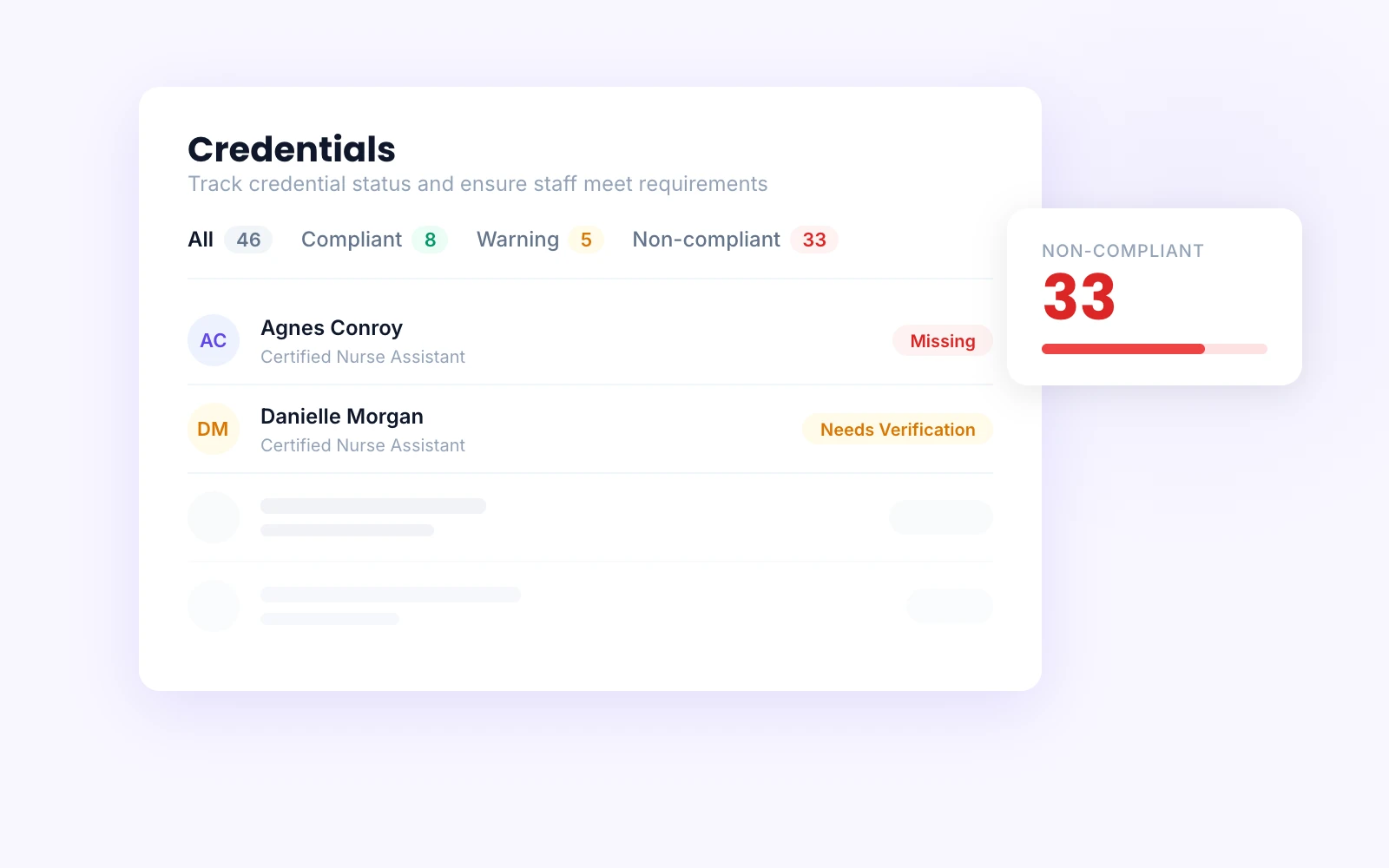
Automated monitoring with compliant, warning, and non-compliant status at a glance
Scheduling someone whose CNA certification expired last month
Credential requirements tied to roles — non-compliant staff can't be assigned
Manually verifying every license on a state board website
Auto-verification checks state registries and flags discrepancies automatically
From requirement to compliance in four steps
Define requirements
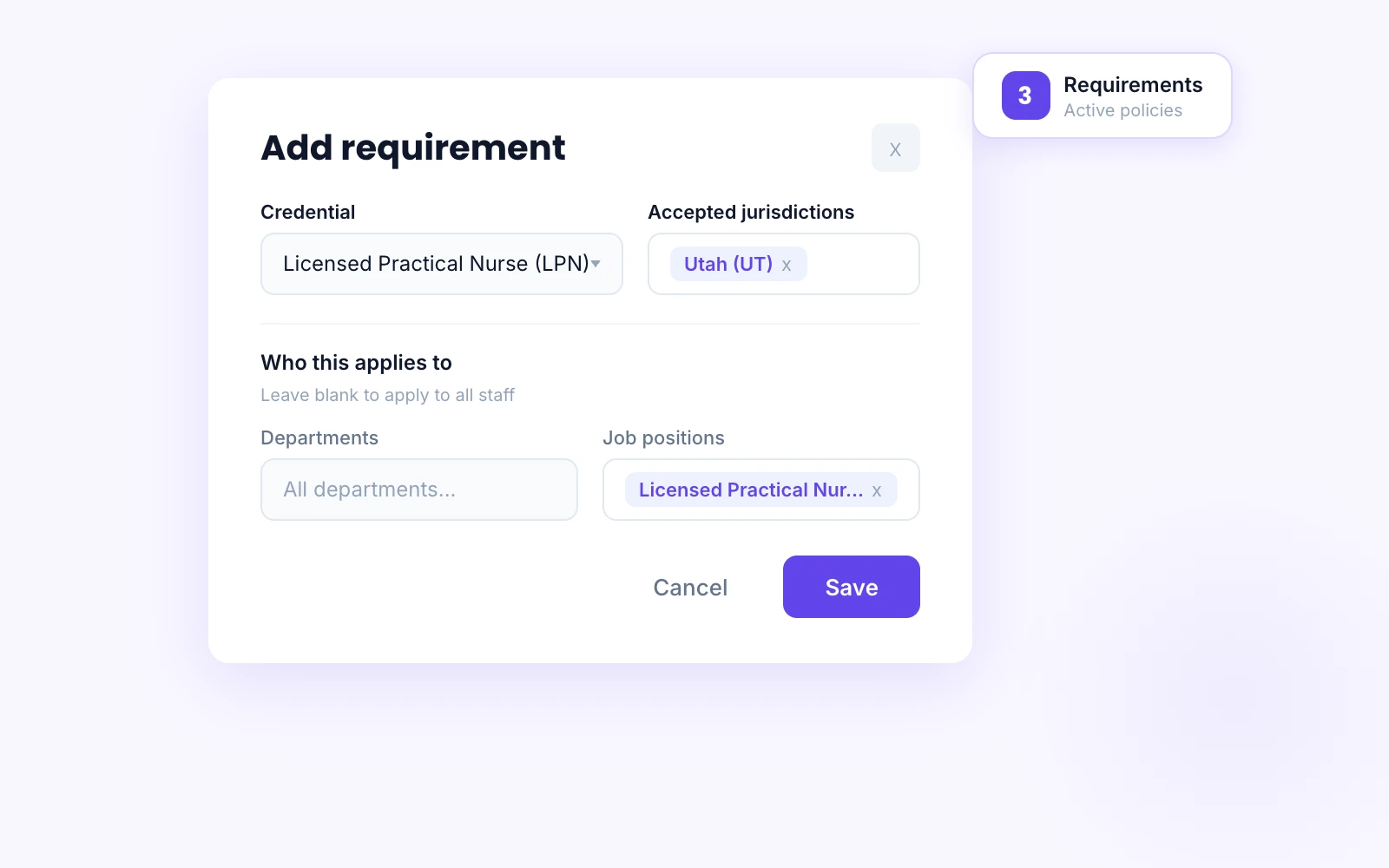
Set credential policies by role, department, and facility. Start from recommended federal and state defaults for RN, LPN, and CNA — or build your own.
Staff credentials flow in
Credentials collected during onboarding carry forward automatically. Staff can upload renewals. Each credential is matched against your requirements.
Continuous verification
Auto-verification checks state registries on a regular cycle. Name discrepancies are flagged. Expirations, revocations, and status changes are caught automatically.
Compliance dashboard
Every worker falls into compliant, warning, or non-compliant. Drill into who's missing what, who's expiring soon, and who needs re-verification.
Credential management built for LTC
Not a document vault. A compliance system that defines requirements, verifies credentials against the source, monitors for changes, and enforces policies through scheduling.
Requirements that match how you actually operate
Define credential requirements by audience — department, job position, facility. Requirements support jurisdiction and issuing body scoping so you can be precise about which licenses count.
Start from recommended policies based on your state, or build custom requirements from scratch.
Auto-verification against state registries
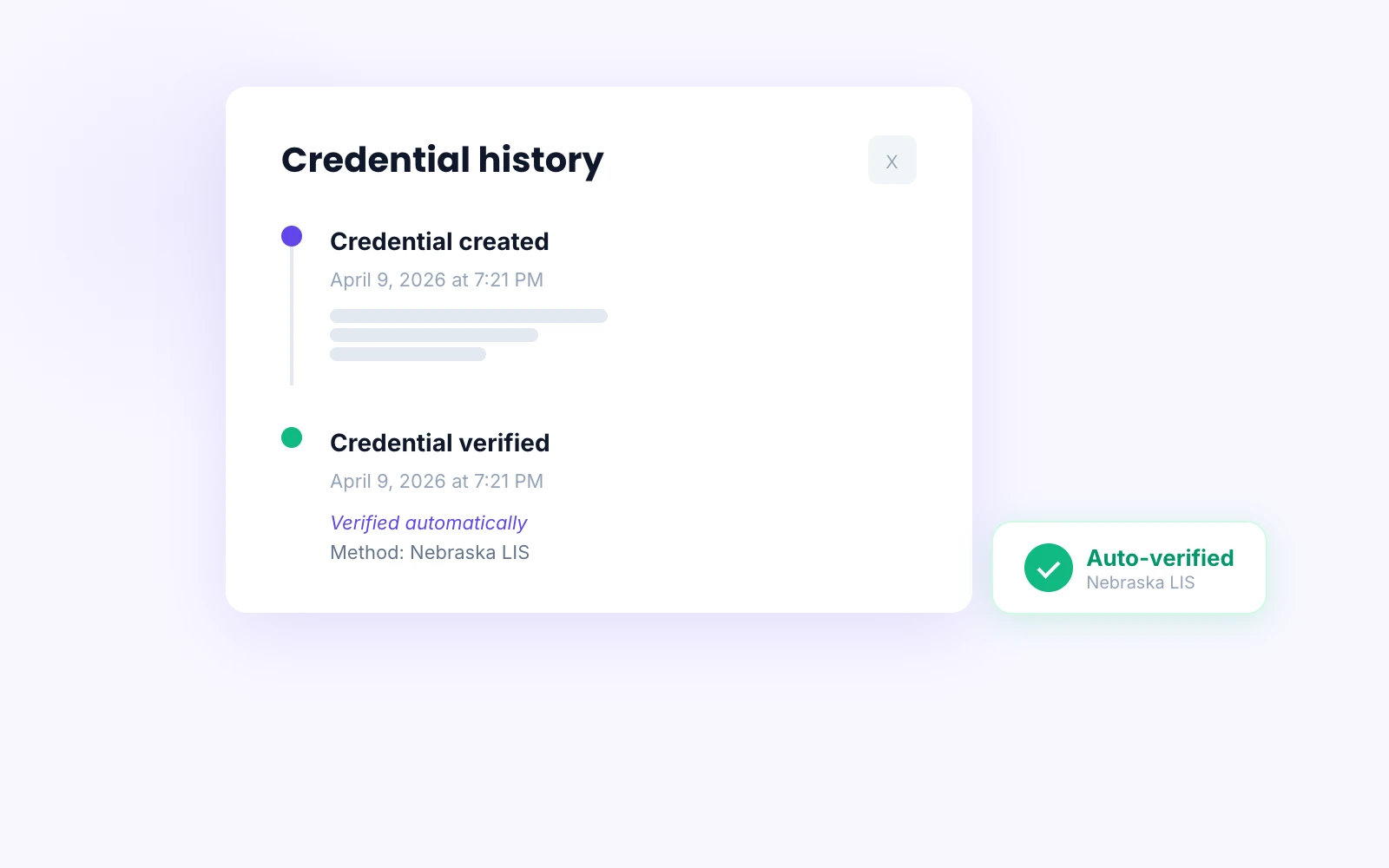
Veras checks state nursing boards and certification registries automatically — across all 50 states. RN, LPN, and CNA credentials are verified against the authoritative source for each jurisdiction. Credentials are re-verified on a regular cycle without anyone lifting a finger.
Status changes, expirations, and revocations are caught automatically — not when someone remembers to check.
Discrepancy detection that prevents bad data
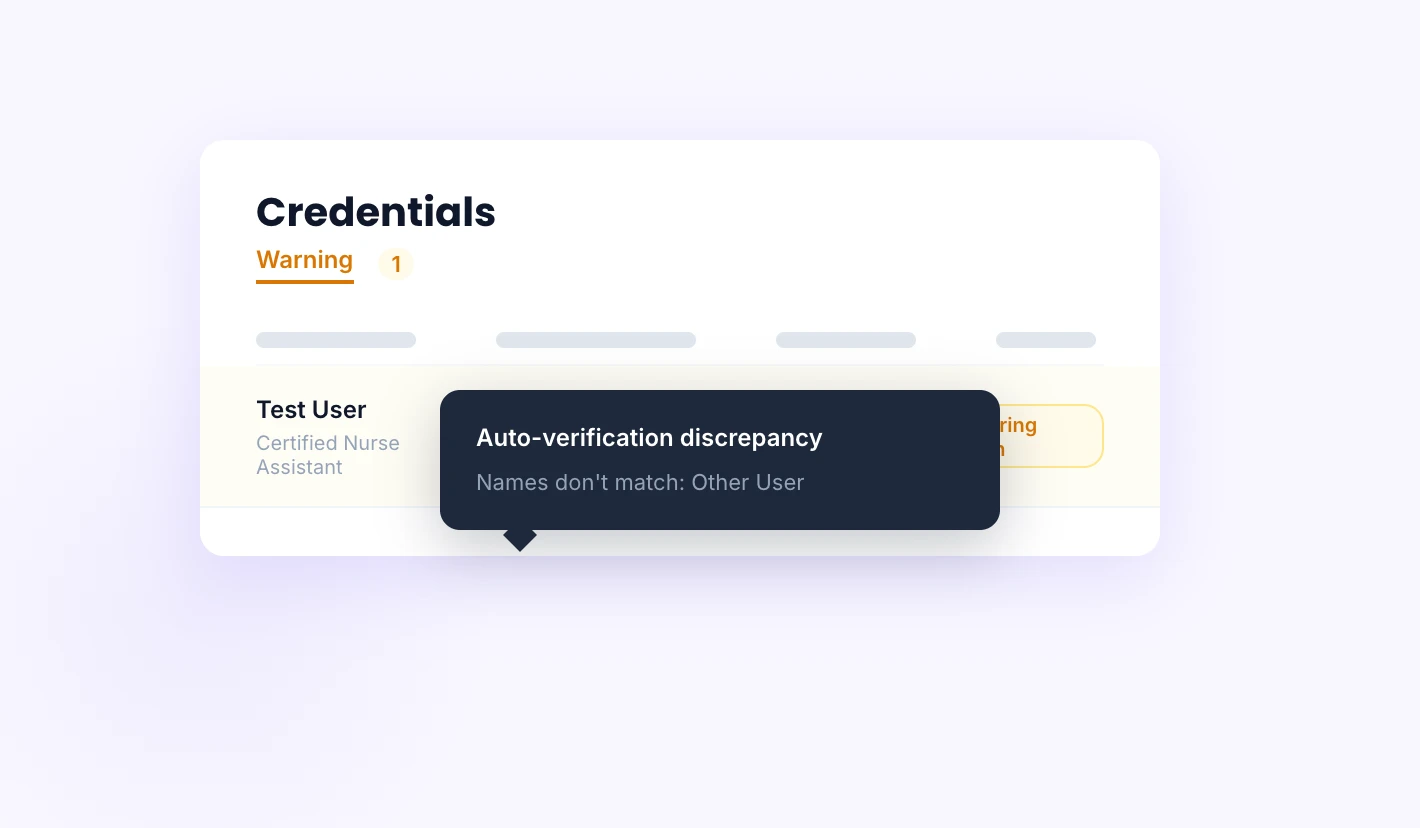
When the name on a state registry doesn't match the name in your system, Veras flags it. AI-powered name matching catches maiden names, typos, and legal name changes — surfacing real problems without flooding you with false positives.
Every verification includes evidence — screenshots and source data attached to the audit trail.
Stay compliant
Every worker's credential status rolls up into three clear buckets. Compliant means all requirements are met and verified. Warning means something is expiring soon or needs re-verification. Non-compliant means a credential is missing, expired, suspended, or revoked.
No ambiguity. No spreadsheet formulas. The dashboard tells you exactly who needs attention and why.
Manual verification fallback
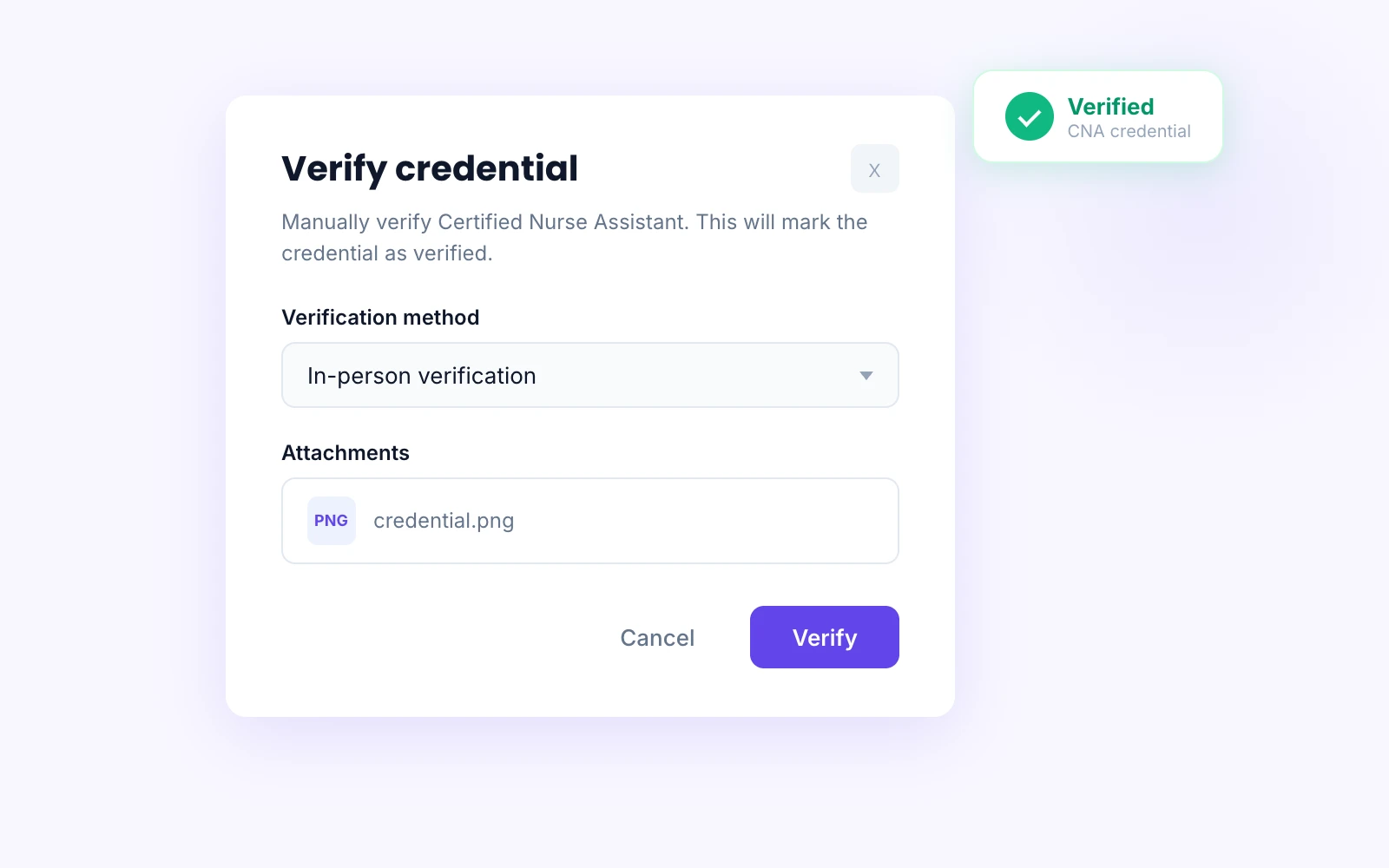
Not every credential can be checked electronically. For those, admins can verify manually — recording the method, attaching documentation, and creating a complete audit trail. The same verification history view shows both auto and manual verifications side by side.
Every verification — automated or manual — is logged with timestamps, evidence, and who performed it.
Synergistic products
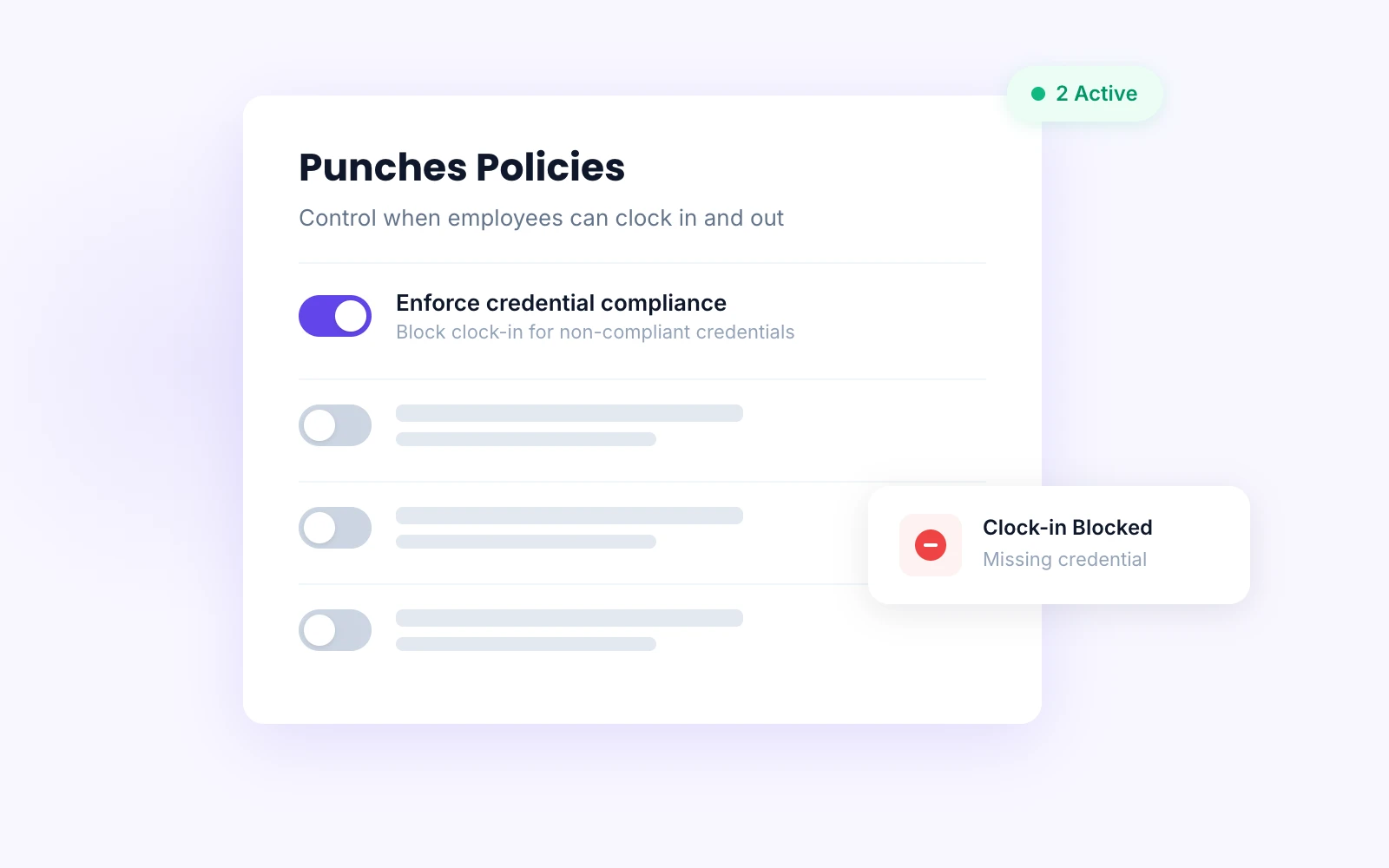
Credential statuses flow into scheduling, time and attendance, and PBJ reporting. Block non-compliant staff from being scheduled, clocking in, or counting towards PBJ hours.
Products seamlessly tie together — maintain compliance across the entire system.
Compliance enforced by the system, not a spreadsheet
When credentials are connected to scheduling, hiring, and messaging, compliance happens automatically — not because someone remembered to check.
Credentials → Scheduling
Non-compliant workers are blocked from shifts requiring specific credentials. Expiring credentials surface warnings before they become gaps in your schedule.
Hiring → Credentials
Licenses and certifications collected during onboarding flow directly into ongoing monitoring. No re-entry, no handoff gaps, no lost documents.
Credentials → Messaging
Expiration alerts, verification results, and compliance warnings are delivered through Veras messaging — to the right people, with full context.
Go live in weeks, not months. White-glove onboarding from a team that understands long-term care.
Replace the spreadsheet with compliance that runs itself
See how Veras defines requirements, verifies credentials against state registries, and gives you a real-time view of compliance across every worker and facility.